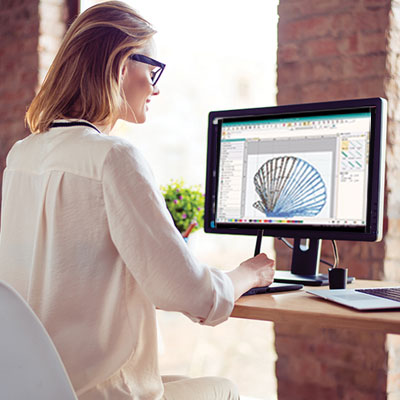
You just downloaded a beautiful design from the internet. You saved it to your USB stick, walked over to your machine, and plugged it in. The screen lights up, but the file is grayed out. It won’t open. Before you blame the machine or the website, look at the file extension. That three-letter code at the end of the file name determines whether your machine can read it or not. Understanding the right embroidery file format for your specific machine saves you from this frustration forever.
Embroidery machines are picky. They don’t all speak the same language. Brother machines prefer PES. Janome wants JEF. Pfaff and Husqvarna Viking use VP3. Commercial shops run on DST. If you feed your machine the wrong format, it simply refuses to stitch. This guide compares the most common formats and helps you pick the right one for every project.
Why So Many Formats Exist
Here is the short answer. Every machine manufacturer wanted their machines to have unique features. Those features required unique data in the file. So they created their own formats.
Think of it like phone chargers. Years ago, every phone brand had its own connector. If you had a Samsung, you could not use a Motorola charger. Embroidery files are the same. Brother created PES to store color information and stitch data their specific way. Janome built JEF for their machines. Over time, these formats became standard for their respective brands .
The good news is that most modern machines read multiple formats. The bad news is that you still need to know which ones work with your specific model.
DST: The Universal Workhorse
If there is one format that almost every machine reads, it is DST. This is the Tajima format, named after the company that pioneered commercial embroidery . It is the default language of multi-head industrial machines and high-volume production shops.
What it contains: DST files are pure stitch data. They tell the machine where to put the needle, when to trim, and when to jump to the next stitch. They do not store color information .
Best for: Commercial production, sharing between different machine brands, sending to professional digitizers, and archival storage of stitch data.
Limitations: No color information means you have to manually assign colors at the machine. Limited editing capabilities once saved.
Machine compatibility: Virtually all commercial machines. Most home machines also read DST, but may lack color previews.
PES: Brother and Babylock
If you own a Brother or Babylock machine, PES is your native language . This is the format you will use most often.
What it contains: PES stores stitch data along with color information and often includes a thumbnail image so your machine screen shows you what the design looks like . Newer versions support higher stitch counts and more complex designs.
Best for: Brother and Babylock home machines, designs purchased from online stores, and projects where color previews matter.
Limitations: PES files come in different versions. Older machines may not read newer PES versions. There is also a stitch limit, so extremely large designs may need splitting.
Machine compatibility: Brother, Babylock, and some other home machines. Commercial machines generally prefer DST.
JEF: Janome and Elna
Janome machines, including the ones branded as Elna, use JEF as their default format . Like PES, JEF stores stitch data and color information together.
What it contains: JEF files contain stitch data, color information, and machine instructions. Newer versions like JEF+ preserve individual element editability, letting you adjust parts of the design later. JPX format includes an embedded JPG for fabric preview .
Best for: Janome and Elna machines, designs that may need future editing, and projects where fabric preview helps with positioning.
Limitations: Less universal than DST. Not all other brands read JEF natively.
Machine compatibility: Janome, Elna, and some other brands with software conversion.
VP3 and PCS: Pfaff and Husqvarna Viking
Pfaff and Husqvarna Viking machines share technology, so their formats overlap. The modern standard for these machines is VP3 .
What it contains: VP3 stores rich data including thread colors, stitch density, underlay settings, and color sequence information . It supports advanced editing and is ideal for larger, multi-layer designs.
PCS is an older format used by Pfaff and some older Husqvarna Viking machines . It contains basic stitch data but less editing capability.
Best for: Modern Pfaff and Husqvarna Viking machines (VP3), older Pfaff models (PCS), and designs that need to preserve color information.
Limitations: VP3 is less common outside the Pfaff/Viking ecosystem. Conversion may be needed for other brands.
Machine compatibility: Pfaff and Husqvarna Viking primarily. Some other machines read VP3 with conversion.
EXP: Bernina
Bernina machines use EXP as their primary stitch format . When you export from Bernina Embroidery Software, you actually get three files: the EXP stitch file, a BMP thumbnail, and an INF file containing color information .
What it contains: EXP contains stitch data. The companion INF file stores color information. The BMP provides a screen preview. All three must be together for full functionality.
Best for: Bernina machines, especially when you have all three files together.
Limitations: Two types exist: Melco EXP (commercial, no color) and Bernina USB EXP (home machine, with color) . Using the wrong type causes color issues.
Machine compatibility: Bernina primarily. Some other machines read EXP but may lack color support.
HUS, VIP, SHV: Legacy and Niche Formats
Several other formats exist for specific machine lines or eras.
HUS is the original format for older Husqvarna Viking machines from the 1990s . If you have a vintage machine or work with designs from that era, HUS is your format.
VIP is an older format used in some Pfaff and Husqvarna Viking machines during the transition period . You might encounter VIP files when working with older designs.
SHV and DHV are formats used by specific Viking Designer series machines .
Best for: Vintage machine owners, working with legacy design libraries.
Limitations: Limited compatibility with modern machines and software. Conversion usually needed for current use.
XXX, CSD, SEW: Other Home Machine Formats
Various other formats exist for specific brands.
XXX is used by some Singer and other home machines.
CSD is used by PoEM and some older software.
SEW is a legacy Janome format still supported by many machines.
Best for: Specific older machines or software workflows.
Limitations: Less common. Conversion usually needed for broader use.
Format Comparison at a Glance
| Format | Primary Use | Color Info | Editing | Best For |
|---|---|---|---|---|
| DST | Universal | No | Limited | Commercial, sharing |
| PES | Brother/Babylock | Yes | Moderate | Home machines |
| JEF | Janome/Elna | Yes | Good | Janome owners |
| VP3 | Pfaff/Viking | Yes | Excellent | Modern Pfaff/Viking |
| EXP | Bernina | Yes* | Moderate | Bernina owners |
| HUS | Old Viking | Yes | Limited | Vintage machines |
*Requires companion INF file
How to Choose the Right Format
Follow these simple rules to pick the right format every time.
First, check your machine manual. It lists exactly which formats your model reads natively . Start there.
For Brother and Babylock, use PES.
For Janome and Elna, use JEF.
For modern Pfaff and Husqvarna Viking, use VP3.
For older Pfaff and Viking, check if you need PCS, VIP, or HUS.
For Bernina, use EXP with companion INF and BMP files.
For commercial shops, use DST.
For sharing with others, ask what their machine needs. DST is the safest universal fallback.
For buying designs online, look for your format or choose multi-format options.
For archiving, keep the original editable format (like EMB from Wilcom or ART from Bernina) plus DST for universal access.
Converting Between Formats
Sometimes you have a design in one format but need it in another. This is where conversion software comes in. Programs like Wilcom TrueSizer, Embrilliance, and SewWhat-Pro let you open one format and save it as another .
However, conversion has limits. When you convert from a native format like PES to DST, you lose color information. The stitches remain, but the machine no longer knows which colors go where. You have to manually assign them.
Converting from a machine format like DST back to an editable format like PES does not magically recreate the design objects. You get stitches, not shapes. You cannot easily edit individual elements.
For best results, always keep your original editable file in the software’s native format . Save that as your master. Export machine-specific formats as needed.
Common Format Mistakes to Avoid
Do not rename a file extension. Changing a .jpg to .pes does not magically turn a photo into embroidery. The file still contains pixel data, not stitch data . Your machine will reject it.
Do not assume one version of a format works on all machines. Older Brother machines may not read newer PES versions. Check compatibility.
Do not forget companion files. Bernina needs the INF file for colors. If you only copy the EXP, you lose color previews.
Do not ignore stitch limits. Very large designs may exceed what your machine’s memory can handle. Split them or reduce stitch count.
Do not use the wrong EXP type. Melco EXP and Bernina USB EXP are different. Know which one you need.
The Bottom Line on Embroidery Formats
Embroidery file formats seem confusing at first, but they follow clear patterns. Brother uses PES. Janome uses JEF. Pfaff and Viking use VP3. Bernina uses EXP. Commercial shops use DST.
Your machine manual tells you exactly what works. When you need to share designs, DST is the universal language. When you need to edit, keep native files safe. When you buy designs, choose your format or get multi-format options.
Understanding these differences saves you from frustrating error messages and ruined projects. With this knowledge, you will never stand at your machine wondering why a file won’t open. You will know exactly what your machine wants and how to give it.