Introduction
You have a design in the wrong format. Your Brother machine needs PES. You need a way to convert it. And like anyone with a budget, you’re wondering: can I do this for free? Or do I need to pay for software? It’s a fair question. Free tools are tempting. Paid tools promise better results. So which one actually makes sense for your situation? The answer depends on what you’re converting, how often you do it, and what quality you need. Let me walk you through the real differences between free and paid Brother PES file Converter options so you can make an informed choice.
First, What Are We Converting?
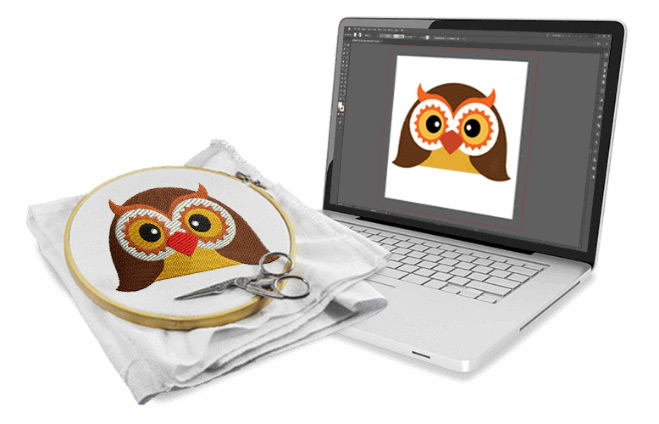
Before we compare tools, let’s be clear about what conversion actually means. A Brother PES file converter takes embroidery files in other formats—like DST, JEF, EXP, or HUS—and translates them into PES format that your Brother machine can read .
This isn’t like renaming a file. It’s a real translation that requires the software to interpret stitch data, color information, and machine commands correctly . A good conversion preserves everything. A bad conversion loses details, changes stitch types, or corrupts the file entirely.
The Free Options: What You Get
Several free tools can convert files to PES. Let’s look at what they offer and where they fall short.
Ink/Stitch (The Best Free Option)
Ink/Stitch is a free, open-source extension for Inkscape (a free vector graphics program). It supports over 25 embroidery formats including PES . This is the most powerful free tool available.
What it does well:
-
Completely free, no trials, no limits
-
Runs on Windows, Mac, and Linux
-
Supports many formats
-
Gives you control over the digitizing process
-
Active community for support
The catch:
-
Steep learning curve. You’ll need to spend time learning how it works .
-
Manual digitizing required. It’s not a one-click converter.
-
No automatic optimization for different fabrics .
-
You’re on your own for troubleshooting.
Ink/Stitch is excellent if you’re willing to learn and have time to invest. It’s not a quick solution for someone who just wants to convert a file and move on.
Online Converters (Freebut Risky)
Sites like Convertio, AnyConv, and others offer free online conversion . They’re easy to use: upload your file, click convert, download the result.
What they do well:
-
No software to install
-
Works on any device
-
Fast for simple designs
The risks:
-
Auto-digitizing produces mediocre quality . Fine details and small text suffer .
-
You’re uploading your designs to unknown servers. Privacy concerns are real .
-
No revisions. What you get is what you get.
-
File size and complexity limits .
-
Quality varies wildly between converters and even between attempts .
Online converters can work for very simple designs you don’t care about. For anything important, they’re too risky.
Free Trials of Paid Software
Some paid programs offer free trials. Hatch Embroidery, for example, has a generous trial period with full access to all features .
What they do well:
-
Full professional features during the trial
-
No quality compromises
-
Great for batch conversions if you plan ahead
The catch:
-
Time-limited. You need to do all your conversions within the trial window.
-
Can’t use for ongoing work without paying.
This is a legitimate way to get quality conversion without paying—as long as you’re organized and can complete your work in time.
The Paid Options: What You Get
Paid software costs money upfront but offers significant advantages for regular use.
Embrilliance Essentials
Embrilliance is a favorite among Brother users. It supports over 40 formats including PES, DST, and EXP .
What it does well:
-
Intuitive interface, easy to learn
-
One-time purchase, no subscription
-
Preserves stitch data well during conversion
-
Includes basic editing features (resize, merge, recolor)
-
Excellent customer support
Price: Around $150-200 depending on version. A one-time investment that pays for itself over time .
Hatch Embroidery
Hatch, developed by Wilcom, offers professional-grade features at a more accessible price point .
What it does well:
-
Professional-quality conversion
-
Auto-digitizing that actually works reasonably well
-
Full editing capabilities
-
Great for growing businesses
Price: Around $1,149 for perpetual license or $49/month subscription . Free trial available to test before buying.
SewWhat-Pro
SewWhat-Pro is a dedicated viewer and converter that supports a huge range of formats .
What it does well:
-
Excellent for batch conversions
-
No learning curve—straightforward to use
-
Affordable one-time purchase
Price: Around $60-80, making it the most affordable paid option for basic conversion needs .
Brother’s PE-Design
If you want the official solution, PE-Design is Brother’s software for creating and editing PES files .
What it does well:
-
Native compatibility with Brother machines
-
Includes Design Database for format conversion
-
Full design creation features
Price: Around $499, making it a significant investment .
Free vs Paid: The Real Differences
Let’s cut through the marketing and talk about what actually matters.
Quality. Paid software consistently produces better conversions, especially for complex designs. Free tools struggle with details, small text, and intricate elements .
Ease of use. Paid tools are designed to be user-friendly. Free tools like Ink/Stitch require significant learning .
Support. Paid software comes with customer support. Free tools rely on community forums.
Features beyond conversion. Paid tools include editing capabilities—resizing, merging, recoloring. Free converters just convert .
Privacy. With paid software installed locally, your designs stay on your computer. Online converters require uploading to unknown servers .
Cost over time. Free is free. Paid requires upfront investment but saves time and frustration.
When Free Makes Sense
Free tools are the right choice when:
-
You have very simple designs with bold shapes and few colors
-
You’re learning and experimenting
-
You only need to convert occasionally
-
You have time to learn Ink/Stitch
-
You’re willing to accept lower quality on complex designs
When Paid Is Worth It
Paid software makes sense when:
-
You convert files regularly
-
Your designs have small text or fine details
-
You do client work where quality matters
-
You value your time and want things to work the first time
-
You need editing features beyond just conversion
-
You want reliable support when something goes wrong
The Professional Alternative
Here’s something many embroiderers don’t consider: for occasional conversions, professional digitizing services can be more cost-effective than buying software .
Companies like Absolute Digitizing, Digitizing Buddy, Cool Embroidery Design, and Absolute Digitizer charge $10-25 per design . For that price, you get:
-
Perfect PES files converted by human experts
-
No software to buy or learn
-
Free revisions if needed
-
Files optimized for your specific fabric
If you only convert a few designs a month, paying per file is often cheaper than buying software. And the quality is guaranteed.
Making Your Choice
Here’s a simple decision framework:
-
How many files do you convert monthly? A few? Professional services may be cheaper. Dozens? Software makes sense.
-
How complex are your designs? Simple? Free tools might work. Complex with small text? Paid software or professional services.
-
What’s your time worth? Learning free tools takes hours. If your time is valuable, paying for convenience makes sense.
-
Do you need editing features? Just conversion? SewWhat-Pro is plenty. Editing too? Embrilliance or Hatch.
-
Is privacy a concern? If you work with client logos, local software is safer than online converters.
Conclusion
When you need a Brother PES file Converter, you have legitimate options at every price point. Free tools like Ink/Stitch work well for those willing to learn. Online converters are risky but can handle simple designs. Paid software like Embrilliance or Hatch delivers quality and convenience. Professional services offer perfection without the learning curve.
The best choice depends on your specific situation. For occasional simple conversions, free might be fine. For regular work with complex designs, paid software or professional services save time and frustration.
Start with an honest assessment of your needs. Try a free trial of paid software to see what quality looks like. Test a professional service with one design. Then decide what works best for you. Your Brother machine deserves files that let it do its best work.