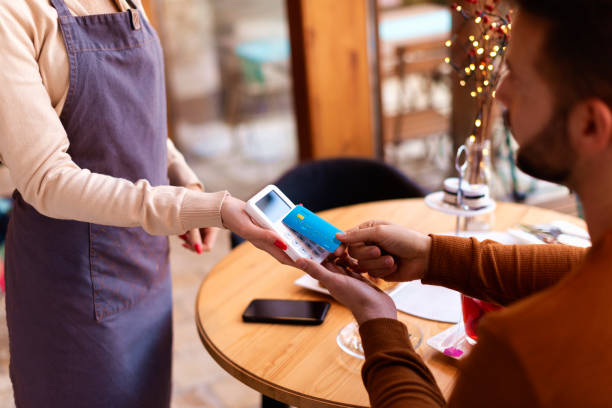
An NFC (Near Field Communication) business card is a smart card embedded with a tiny chip that transmits data wirelessly when tapped against a compatible smartphone. Unlike traditional paper cards that disappear into a desk drawer, NFC business cards redirect contacts to a digital profile, landing page, contact form, or portfolio.
But here’s where it gets powerful: because these cards interact with digital platforms, every tap can be recorded. Tracking usage isn’t just a cool feature — it’s a business intelligence tool. Knowing who taps most frequently, when, and from where helps teams make smarter decisions about outreach, follow-ups, and team performance.
How NFC Business Card Tracking Actually Works
When someone taps an NFC card, the chip redirects the recipient’s phone to a URL — usually a personal profile or digital business card page. That URL sits on a platform that logs the interaction. Think of it like link tracking in email marketing, except it’s triggered by a physical tap.
Most NFC business card platforms use backend analytics dashboards to capture these tap events. Each card is assigned a unique identifier, so the system knows exactly which card was tapped, at what time, and in some cases, from which geographic location. This is fundamentally different from paper cards, which offer zero data feedback once they leave your hand.
Can You See Individual Card Usage Across a Team?
This is where things get really useful for businesses. Yes — most enterprise-level NFC business card platforms allow administrators to view tap data broken down by individual team members. If your sales team of ten people all have NFC cards linked to the same company account, an admin dashboard will show you exactly how many taps each person received.
Platforms like Popl, HiHello, Linq, and Blinq all offer team management features where managers can compare card performance across employees. You can quickly identify your top networkers, spot underperformers, and use that data to coach your team more effectively. It’s like a leaderboard for networking — and it’s surprisingly motivating for teams.
What Metrics Can You Actually Track?
The depth of tracking depends heavily on which Digital business card platform you’re using, but here’s what most modern solutions offer. Total tap count per card is the most basic metric — it shows how many times a card has been physically tapped. Unique tap count filters out repeat taps from the same device, giving you a cleaner picture of how many distinct people engaged with a card.
Location data (at the city or country level) helps you understand where networking is happening geographically. Device type tracking reveals whether recipients use iOS or Android. Time-of-day and date data shows when networking peaks occur. Some platforms even track click-through rates on specific links within the digital profile, so you can see whether people actually visited your website or watched your video after tapping.
Which NFC Business Card Platforms Offer the Best Analytics?
Not all platforms are created equal when it comes to tracking depth. Popl is one of the most widely recognized names in the NFC card space and offers robust team analytics, including individual card performance, tap history, and CRM integrations. HiHello provides a clean analytics dashboard focused on contact exchanges and profile views, making it a solid choice for individual professionals.
Linq is popular with influencers and creators and provides tap counts along with link-specific performance data. Blinq offers strong team management tools with admin-level visibility across all cards in an organization. For enterprise clients, companies like Mobilo and Dot also provide deeper CRM integrations with platforms like Salesforce and HubSpot, enabling tap data to flow directly into sales pipelines.
How to Use Tap Data to Identify Your Best Networkers
Once you have access to analytics, the real work begins: turning numbers into strategy. Start by pulling a weekly or monthly tap report for your entire team. Sort by total tap count and look for patterns — who consistently tops the list, and what events or time periods drive the highest tap spikes?
High-tap performers aren’t just lucky; they’re usually doing something differently. They may be more proactive about presenting their card, attending higher-footfall events, or following up digitally right after tapping. Pair tap data with deal conversion rates or LinkedIn connection growth to build a fuller picture. The goal isn’t to put pressure on team members — it’s to understand what great networking looks like at your company and replicate it.
Can You Track the Recipient’s Identity After a Tap?
Here’s an important nuance that often gets overlooked. Standard NFC tap tracking tells you that a tap occurred, but it does not automatically reveal who tapped the card. The recipient’s identity is only captured if they actively provide it — for example, by filling out a contact exchange form, saving your contact, or connecting through the platform’s two-way sharing feature.
Many NFC business card platforms include a “contact capture” feature where, after tapping, the recipient is prompted to enter their name and email in exchange for your details. This is the bridge between anonymous tap data and identified leads. Enabling this feature significantly increases the intelligence value of your analytics, turning raw tap counts into named contacts ready for follow-up.
Privacy Considerations When Tracking NFC Card Usage
Tracking is powerful, but it comes with responsibility. GDPR in Europe, CCPA in California, and other regional data privacy regulations apply to any personal data collected through NFC interactions. If your platform captures location data, device identifiers, or personal contact information, you need to ensure that collection is transparent and consented to.
Most reputable NFC business card platforms handle this through privacy policies embedded in the digital profile experience. As a card holder or business owner deploying NFC cards at scale, it’s good practice to be transparent with your team about what data is being tracked, how long it’s stored, and who has access. Ethical tracking builds trust — both internally and with your networking contacts.
Integrating NFC Tap Data With Your CRM
For sales-focused teams, the most valuable thing you can do with NFC tap analytics is connect them to your customer relationship management system. Platforms like Mobilo offer native integrations with Salesforce, HubSpot, Zoho CRM, and Microsoft Dynamics. When a tap triggers a contact capture, that lead can automatically populate a CRM record, trigger a follow-up email sequence, or notify a sales rep.
This turns NFC cards from a novelty into a genuine top-of-funnel sales tool. Imagine attending a trade show, collecting fifty taps in a day, and waking up to find all fifty contacts already in your CRM with source tags, timestamps, and event names attached. That’s the kind of automation that saves hours of manual data entry and ensures no warm lead falls through the cracks.
Tips to Maximize Your NFC Card’s Tap Rate
Knowing you can track tap data is great — but first you need taps to track. Keep your digital profile clean, fast-loading, and visually compelling. A slow or cluttered landing page discourages engagement. Include a clear call to action on your digital profile, whether that’s “Save my contact,” “Book a meeting,” or “View my portfolio.”
Present your NFC card confidently and explain what it does — many people are still unfamiliar with the technology. At networking events, try tapping your card against your own phone first as a demonstration. Pair your NFC card with a QR code backup on the same profile so non-NFC devices can still engage. And always follow up within 24 hours of a tap while the interaction is still fresh in the recipient’s memory.
FAQ: Tracking NFC Business Card Usage
Can I see exactly who tapped my NFC business card? Not automatically. You can see that a tap occurred, but the recipient’s identity is only revealed if they voluntarily share their contact details through a form or two-way exchange feature offered by your platform.
Does tracking work even without the recipient downloading an app? Yes. Because NFC redirects to a URL in the phone’s native browser, no app download is required on the recipient’s side. The tap event is still logged on the platform’s backend.
Can a company admin see every employee’s tap data? On most team plan platforms like Popl Teams, Mobilo, or Linq for Business, yes. Admins can view aggregate and individual tap counts, giving full visibility across the organization.
Is tracking NFC card taps legal? Yes, as long as the data collected complies with applicable privacy laws. Tap counts and non-personal metadata are generally unproblematic. When capturing personal data like names and emails, you must ensure proper consent mechanisms are in place.
How accurate is geographic location data from NFC taps? Location accuracy varies by platform and depends on IP-based geolocation rather than GPS. Expect city or regional-level accuracy rather than precise street-level data.
Can I get real-time notifications when my card is tapped? Some platforms offer real-time push notifications or email alerts triggered by taps, especially on premium plans. This is especially useful for sales professionals who want to follow up instantly.
What happens to my tap data if I switch platforms? Tap history is generally stored within the platform you’re using and may not be portable. Before switching, check whether your provider allows you to export historical analytics data.
Can NFC tap data integrate with Google Analytics? Yes. If your NFC card directs to a personal website or landing page with Google Analytics installed, taps will appear as sessions in your analytics dashboard with the referral source showing as the card’s redirect URL.